Sync Every System • Trust Every Record • Keep AI Controlled
Schedule A Demo
A few details help us tailor the demo to your systems
- The demo is 60 minute session on Zoom, at a time that suits you.
- No data or system access needed for the demo.
- Straight answers on pricing, timelines and fit.
Sync Every System • Trust Every Record • Control AI Access
Schedule A Demo
A few details help us tailor the demo to your systems
- The demo is 60 minute session on Zoom, at a time that suits you.
- No data or system access needed for the demo.
- Straight answers on pricing, timelines and fit.
What Happens When You Request A Demo
- Tell us about your technology stack. Share the systems you run and what prompted your interest. It takes about two minutes, and it means we show up prepared.
- Pick a time that works for you. Choose a slot on our calendar as soon as you submit the form. Your calendar invitation and Zoom link arrive right away, with no waiting for a call back.
- Join your 60 minute personalized demo on Zoom. See how Syncology would connect your CRM, ERP, finance and payroll systems through one canonical data model, trace a number from order to journal entry, and control exactly what AI can see. You leave with a clear picture of fit, timeline and investment.
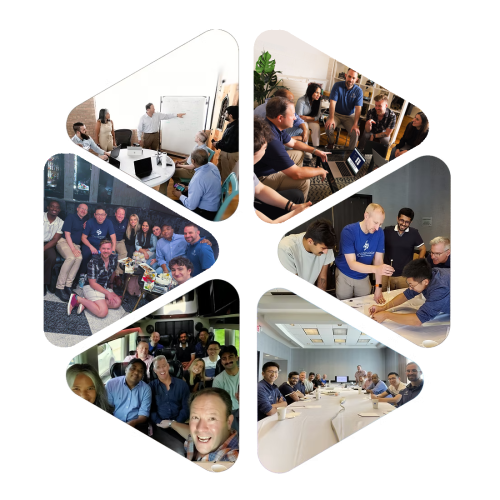
Syncology is the platform. Scalesology is the team that builds it, runs it, and that you will meet on the call.
What You'll See In Your Demo
Sync Every System
Trust Every Record
Full Data Governance
Control AI Access
Managed by Scalesology, so you get the outcome without hiring an integration team.
Questions Before Your Demo
1.
What happens after I request a demo?
Right after you submit the form, you’ll receive an email. In that email, you will have a link to our calendar. Pick a time on our calendar. Your calendar invitation and Zoom link arrive right away, so there’s no waiting for someone to call you back. Don’t forget to check your spam folder.
Before the demo, a Scalesology specialist reviews what you shared about your systems and may email a question or two. That way the session is built around your stack instead of a generic script.
2.
What will we see in the demo, and how long does it take?
You will see how Syncology would connect your own systems, not a hypothetical company’s. We walk through how your CRM, ERP, finance and payroll data would flow through one canonical data model, how a number is traced from beginning to end, and how the AI Control Center decides what AI can see.
Demo run 60 minutes, with time set aside for your questions. Every demo is held virtually, so your team can join from wherever they work.
3.
Who from our team should attend?
Invite the people who feel the problem and the people who would approve the solution. That is usually a business leader, such as the CEO, CFO or COO, who wants numbers they can trust, and a technology leader, such as the CIO, CTO or IT director, who will care about governance, security and AI access.
If finance spends days reconciling reports each month, bring someone from finance too. They tend to ask the best questions.
4.
Do we need to share data or give you system access for the demo?
No. The demo uses sample data, so you do not need to share business data, credentials or system access to see how Syncology works.
It does help to know which systems you run and where the pain is, such as a report you can’t get or numbers that don’t match. You can note those on the form so we can tailor the session before you meet.
5.
Will we discuss pricing and timelines?
Yes, if you’d like to. Syncology is an annual subscription in four tiers, and because Scalesology configures and runs the platform for you, we can talk through total cost compared with licensing, implementing and staffing an integration tool yourself.
Timelines depend on how many systems you connect and how complex your data is. By the end of the demo, you should have a realistic sense of both.